Programming (9)


How We Draw a 3D Sprite World (GDC2026)

These are the slides from the talk I gave at GDC 2026: HOW WE DRAW A 3D SPRITE WORLD: The Stylized Art of Never’s End.

They’ll be a bit hard to follow without the video, but that should show up online eventually. Until then, everyone that saw the talk in person can use them as reference.

PowerPoint (pptx) / 341 MB / has all the video and animations

PDF / 7 MB / only still images


Additional Thoughts on Skill Ratings

I suspect I’d get significant value from writing about systems earlier in their development because breaking a system down in words often leads to new insights. Over the past week I’ve been thinking about my recent post on how online skill ranking works in INVERSUS Deluxe. If you haven’t read it or aren’t deeply familiar with skill rating systems, you might want to click that link or the rest of this won’t make much sense.

One of the primary hurdles that I had integrating Glicko-2 (and that most games have from my understanding) was applying the rating periods. INVERSUS forces a rating period to pass with each completed match and then also runs a separate step forcing inactive rating periods to be evaluated for players that have been away from the game for a while. This has two downsides:

  • Depending on the frequency you play matches you will evaluate more or less rating periods than others.
  • Rating periods never get to evaluate more than one match at a time (which would be preferred by Glicko). That said, I haven’t run through the math to know how much that actually matters.

I now believe that you should be able to get the best of both worlds and let rating periods get a fixed time (e.g. a week) but still give players instant feedback after each match. The idea is to change the interface to process less than one rating period and take input representing the intermediate computations from any prior call. It would then update the intermediate state to be used by a future call and output what the players rating, deviation, and volatility would be as of right now (partially through the rating period). Internal to the system, it would continue to append match results to the intermediate state and reevaluate the current rating period from scratch with the additional supplied information. The resulting logic  would be something like:

  1. If the additional time step has advanced to a new rating period, commit the prior rating period’s variance estimate into a new rating, deviation and volatility.
  2. Apply any necessary inactive rating periods if the time step is greater than one rating period.
  3. Apply the new match results to the tracked intermediate values necessary for computing the current rating period’s variance estimate. Note that we shouldn’t actually need to track the full match history for this rating period, but just need to update the accumulated values.
  4. Output the player’s displayable rating and deviation by evaluating the current intermediate values for the partial rating period state. Note that these values are actually logically recomputed across the entire current rating period until step 1 commits them and starts a new rating period on a future call.

I’m pretty sure that would both work and not be too complicated implement. Maybe someday, I’ll go back and try it out, but for now I just want to put the idea out there for others!


The Online Skill Ranking of INVERSUS Deluxe

Online skill ranking was one of the big features added to the Deluxe edition of INVERSUS and building it was uncharted territory on my part. It required a bunch of learning and is one of the systems players ask about the most so I’d like to share some behind the scenes details regarding how it works.

Rank Points and Skill Rating

From the player’s perspective, they earn and lose Rank Points (RP) while playing online. I wanted the Rank Points system to achieve two goals:

  • By inspecting a player’s RP, you can tell how challenging they are. Players with a higher RP are expected to defeat players with a lower RP.
  • You are awarded and deducted RP in a manner that matches your expectations. If you win, your RP should increase. If you lose your RP should decrease.

While those goals might not sound like anything special, they can actually conflict because computing a statistically accurate skill rating (the first goal) can produce results which are both confusing and do not match player expectations (the second goal).

  • There might be wild fluctuations as the system is first learning how you perform.
  • There might be counterintuitive ups and downs such as an increase in skill after an expected due the system’s confidence level in your skill increasing more than its penalty for the match.
  • You might not actually gain any skill after a win if you were expected to win.

To mitigate these issues, the actual skill rating of the player is decoupled from the player-facing representation of Rank Points. Before getting into how the Rank Points are calculated, let’s dig into the actual skill rating system they are built upon.


Hyperbot: Making a Discord bot for INVERSUS

The official INVERSUS Discord server (found at discord.gg/inversus) has grown to house an active community of both veteran and new players. Creating the community was my first introduction to Discord and I quickly came to see the advantages of having a bot to help automate common questions and needs. I first searched for an existing bot to integrate with the INVERSUS server, but nothing was very focused on being build around the community for a competitive game. I wanted features such as players positing invitations to their private lobby by typing !invite or having the bot automatically let everything know when a new high score was reached on the leaderboards. Thus, once I got the time to learn a bit about node.js and the Discord API, I went ahead and build my own bot, named Hyperbot, that I could add to over time.

Putting Hyperbot on your Discord server

If you are in a similar position and want a reference bot to start from or just want to boot up Hyperbot as is, you can find the latest code and documentation on the full feature set on GitHub at https://github.com/hypersect/hyperbot


Improving the Font Pipeline

This post will be a bit different than my normal technical posts. Rather than covering a successful finished system, this will be a glimpse into the process of (hopefully) getting to that point in the future.

With INVERSUS finally out on all platforms, I can clean up some of the engine’s rough edges, and one of the bigger pain points has been the font pipeline. When it comes to refactoring workflows and engine architecture, I think it’s important to find tractable small steps you can take on the path towards your desired goal. I have a fuzzy picture of how I’d like things to be, and I make small improvements while at the same time getting a better focus on the destination.

Problems Everywhere

In my experience, the complexity of properly rendering text is an underappreciated problem by engineers that have never worked on it. It seems so simple! There are really only three steps:

  • Choose the next glyph to draw
  • Choose where to draw the glyph
  • Draw the glyph

So which of those steps is the hard one? Unfortunately, if you want to render crisp text in multiple languages across the world, all of them are the hard one.


The Complexity of Simplicity: Rendering INVERSUS Deluxe

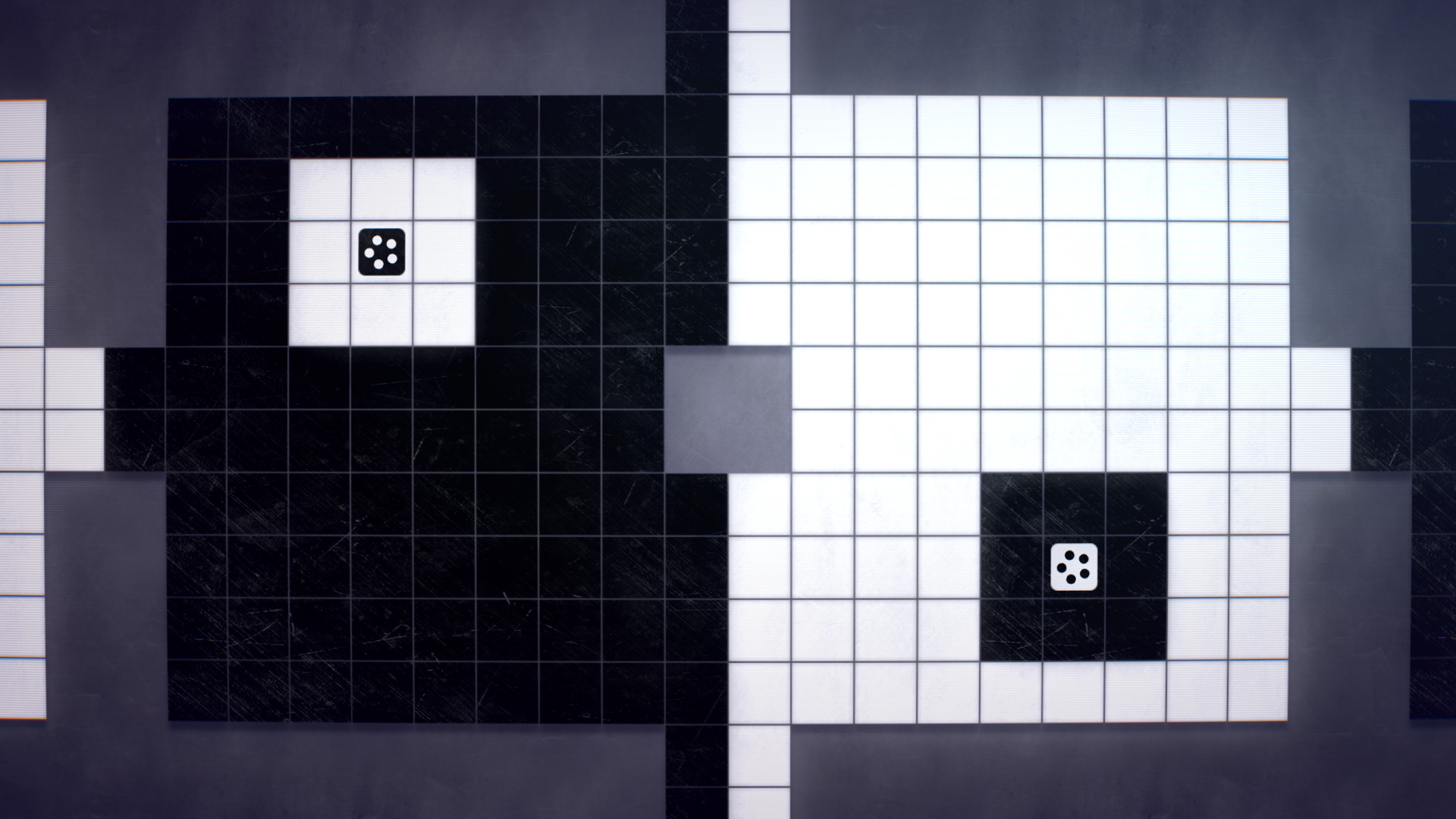
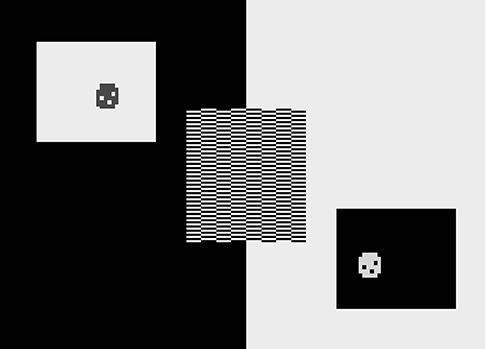
When discussing the visual style of INVERSUS, there has always been an amusing contrast between the random YouTube comment saying that “this could run on an Atari” and the periodic questions asking how I’m actually managing to draw what is happening on screen. We’re going to take a detailed walk through how INVERSUS Deluxe composes a frame, but for fun let’s start off by looking at an actual demake of INVERSUS for Atari that Ed Fries was toying around with (believe it or not, just finding a way to render the obstructions on the map was non-trivial).

Can you spot the difference?


Rollback Networking in INVERSUS

INVERSUS is a fast-paced shared-screen multiplayer game for up to four players. It is the type of game that would traditionally be local-multiplayer, and for a long time I thought latency issues would make it a poor candidate for online. Late in development, I committed to adding online support with the mindset that a “playable but inferior” experience would be better than nothing, but I ended up with something hard to differentiate from its local counterpart! While the subject of networking can cover everything from matchmaking, to choosing a map, and finally playing the game, I’m only going to be discussing the gameplay portion. I want to break down how I made the split-second actions of INVERSUS into a polished online experience.

Overview

INVERSUS uses a peer-to-peer rollback system. Before getting into the implementation details, let’s review how rollback networking functions at a high-level.

Rollback networking an evolution of synchronous networking systems where every player would send input commands to every other player. In these systems, a deterministic game simulation would advance one frame every time it had received commands from each peer. This architecture had numerous benefits, but one huge caveat that drove action games away from it: input latency. In order to allow time for receiving remote player input, the local input wouldn’t be injected into the simulation for a number of frames equal to the transfer speed.

synchronousinput

Rollback fixes the latency issue by processing local inputs immediately while predicting the remote inputs. When the actual remote inputs arrive over the network, it checks if anything was mispredicted. If a misprediction was found, time will be rewound to the mispredicted frame and then simulated back to the present using the corrected input values and further predicted values. This rollback and correction process all happens in the span of a single frame such that user only sees a slight pop in the results.rollbackinput
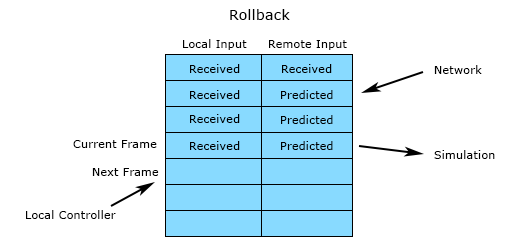
As network latency increases, visual pops in motion will increase, but they will only be in relation to direct effects of remote player input. For example, the launching of a projectile might skip the first couple frames, but once the projectile is in flight it can be reacted to exactly as if it were in a local multiplayer game.

Rollback networking is designed to create a near zero latency experience for the local user and fair conflict resolution because every participant’s inputs are respected. When you move, you move right away. If you press a button on a specific frame to counter an attack, you will counter the attack. This architecture also creates a minimal overlap in which game and network code need to consider one another. When adding features to the game, there is almost zero concern about networking. Everything just works and that’s a rather freeing experience for the engineer.

The main downsides of rollback are that it does not easily support joining in-progress matches, and it does not scale to large player counts. It also doesn’t support a variable frame rate simulation, but I’ll discuss how it can still support variable frame rate rendering later.

Rollback is perfect for fast, twitchy, frame-accurate games that require responsive input and have short gameplay rounds. It is the standard approach for modern fighting games and should be the standard approach for any quick round-based game with direct player interaction.

Analog to Digital Input Translation

It’s common to use an analog input method (control stick, trigger button) to control a digital system. Maybe you want to control menus with an analog stick. Maybe you want to detect a tap or double-tap of the analog stick. Or, as is the focus of this article, maybe you want to fire a bullet with an analog trigger. Getting this right requires more subtlety than you might expect.

While INVERSUS isn’t shipping with shooting bound to an analog trigger, it did start out that way. You can get some insight into why I changed schemes in my article on the parry system (although it might merit its own article), but the important thing to make clear is that it wasn’t changed due to trigger feel; the triggers felt great.

Let’s assume we have successfully preprocessed our controller data and have a clean floating point value from 0.0 to 1.0 representing trigger pressure. Zero represents a released trigger and one represents a fully pressed trigger.

My specific goal was to implement a single-shot fire when the player pulled in the trigger, but I’m going to abstract that goal a bit. What I really want is to translate the analog button input into a digital button input. A digital button is either in a pressed state or a released state. If we can evaluate the same pressed/released status of an analog button then it should be easy to bind it to any game action that takes digital input. For shooting, we can fire the bullet when the state transitions from released to pressed.

So how do we translate our analog button to a digital button?


Interpreting Analog Sticks

When a game supports controllers, the player is likely using an analog stick at all times. Nailing the input processing can have a substantial impact on quality throughout the experience. Let’s walk through some core concepts along with examples from INVERSUS.

Inspection

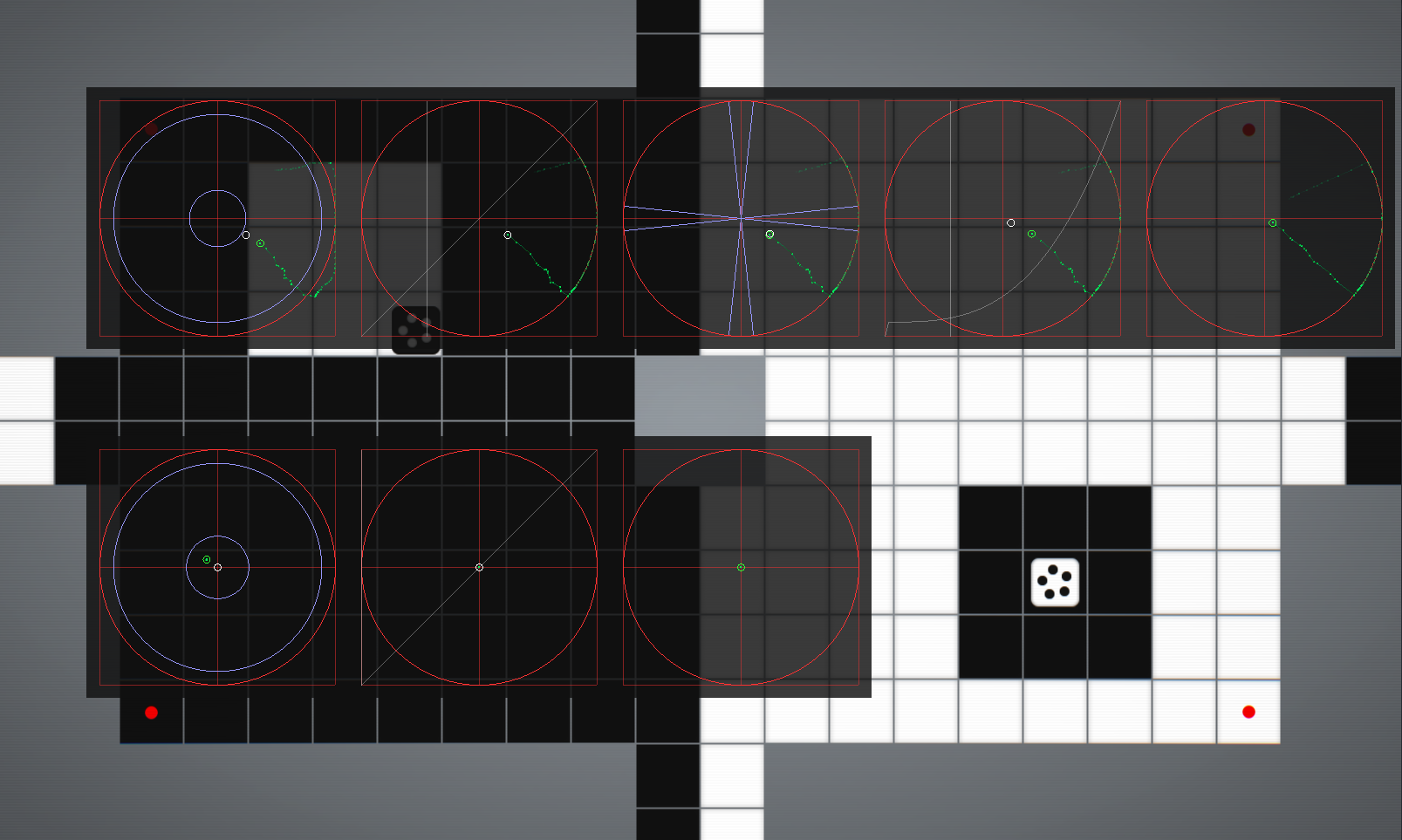
Before tuning the analog stick, you need to know how it works. What is the hardware actually reporting when you move the stick around? Here’s what the stick inspection for INVERSUS looks like. I don’t claim this to be the best possible display, but all the conveyed information is important.

inspection_view

Before I cover each part in detail, let me present a high level overview. I was using an Xbox 360 controller attached to a PC. The top row represents stages of processing on the left stick. The bottom row is the right stick. You’ll notice that the top row has more data on display than the bottom row. This is because INVERSUS only uses the left stick and it gets special treatment. I’ll only talk about that top row from hear on, but everything still applies to the right stick for games that use it.